We've optimized our workflows to use GitLab as much as possible, but we're still only able to use it
for about 10% of our work - we can host a model and its versions but
that's about it.
- Internal Data Science Lead
The core need: Design a platform that enables key data science workflows to be
done in-product that seamlessly interacts with existing DevOps infrastructure.
GitLab's core product was purpose-built for engineering teams, giving them a single, secure place to
manage their entire development workflow. However, teams operating on similar infrastructure -
specifically those using machine learning models - could use GitLab's repos and CI/CD
pipelines, but had no native way to store, version, or manage the models they were building and
training. This pulled customers off-product and forced a reliance on external tools that broke the
unified workflow GitLab was built to provide.
Our team set out to close that gap. The challenge was twofold: first, build the foundational
infrastructure for a model registry and experiment tracking directly within GitLab; and second,
integrate those new systems so they communicate seamlessly with the existing DevOps infrastructure.
Model Registry: A repository where users can manage all aspects of their production
models, including metadata, analytics, governance, versioning, and artifacts.
Model Experiments: A 'sandbox' repository for models that are training, being
tuned, or testing. Users can train new and existing models on test and production data, and
fine-tune different configurations before promoting runs as production versions.
Design process
1
Needfinding
Researched machine learning processes and mapped key user flows to existing infrastructure,
design patterns, and workflows in our core product.
2
Research
Conducted user research with data science professionals and our own internal team to pinpoint
workflow gaps in our current product and build a strategic plan of attack.
3
Ideation
Built out key workflows that mirrored GitLab's core
product. Worked closely with the engineering team to
create an intuitive experience that hid a complex backend.
4
Test & Iterate
Conducted usability testing and solution validation with data science professionals and our
own internal team to build towards a GA release and further iterative improvements.
Research & discovery
User Interviews
While familiarizing myself with the data science space, I conducted user interviews with 30 data
science professionals to better understand how they might integrate MLOps into their existing
workflows. These moderated interviews shaped the MLOps product strategy, including a key integration
with MLFlow.
Internal Team Interviews
Early on in the project, I identified our own internal Data Science team as a key stakeholder in
this effort. Through interviews with the team, I learned valuable insight into their own needs for
the system, and how they were able to leverage our core product at the time.
Key findings
A model registry by itself was an effort-add, not a value-add. This insight led to the fruition
of a Model Experiments section of the product.
Our internal team was only able to use GitLab for about 10% of their workflows. This became our
'north star' success metric, and our goal was to bring that to at least 50% for GA release.
My solution
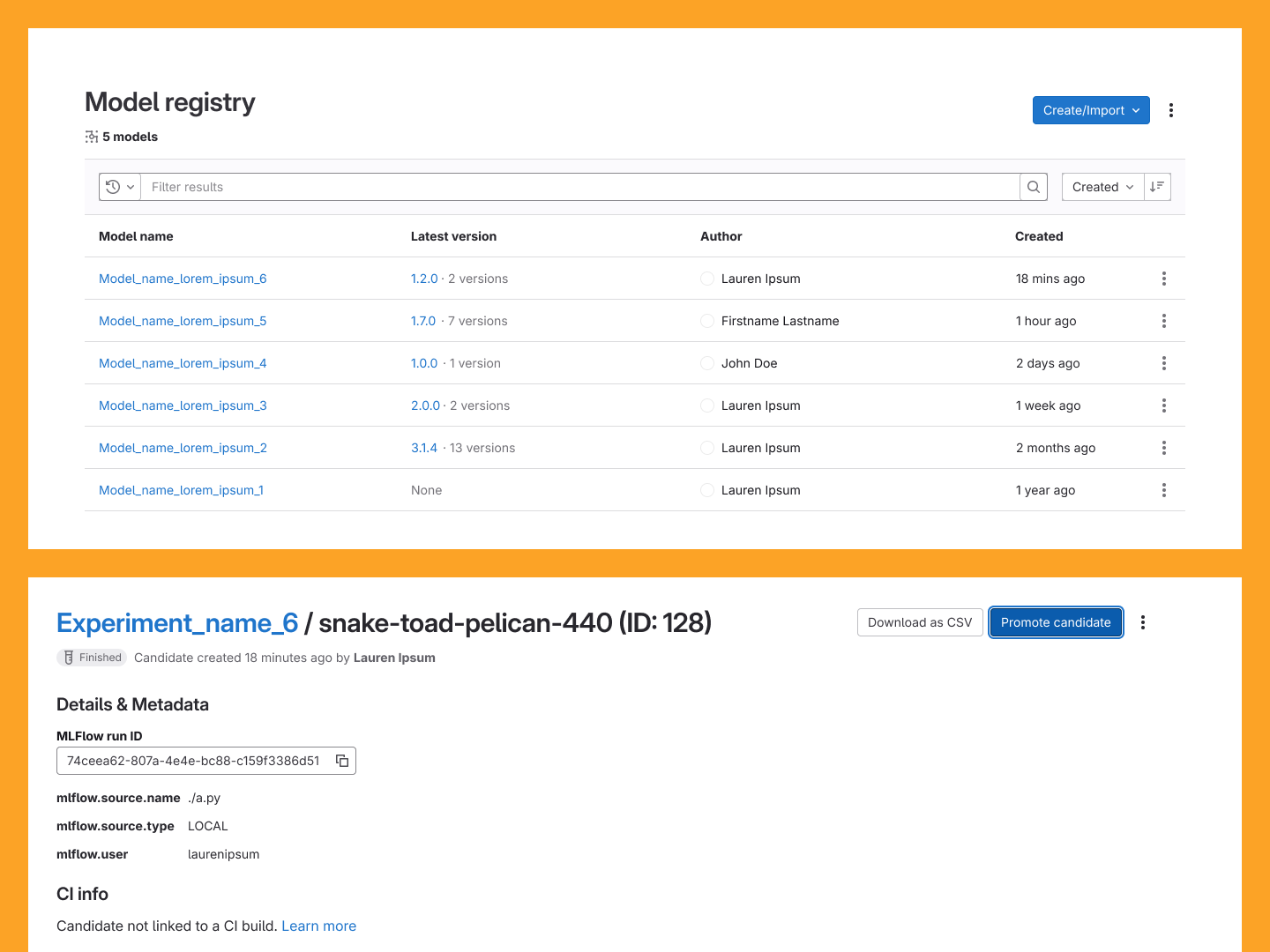
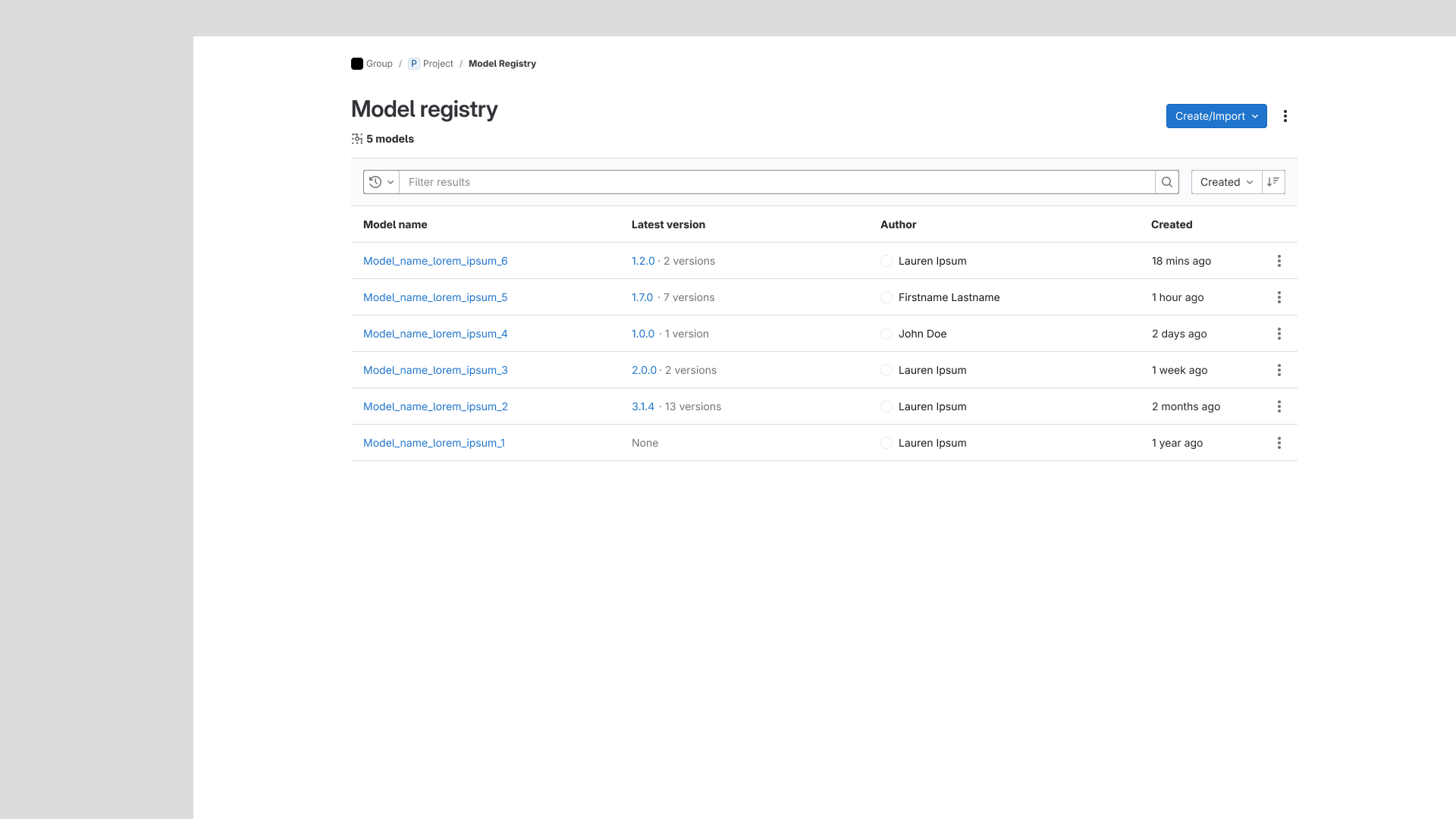
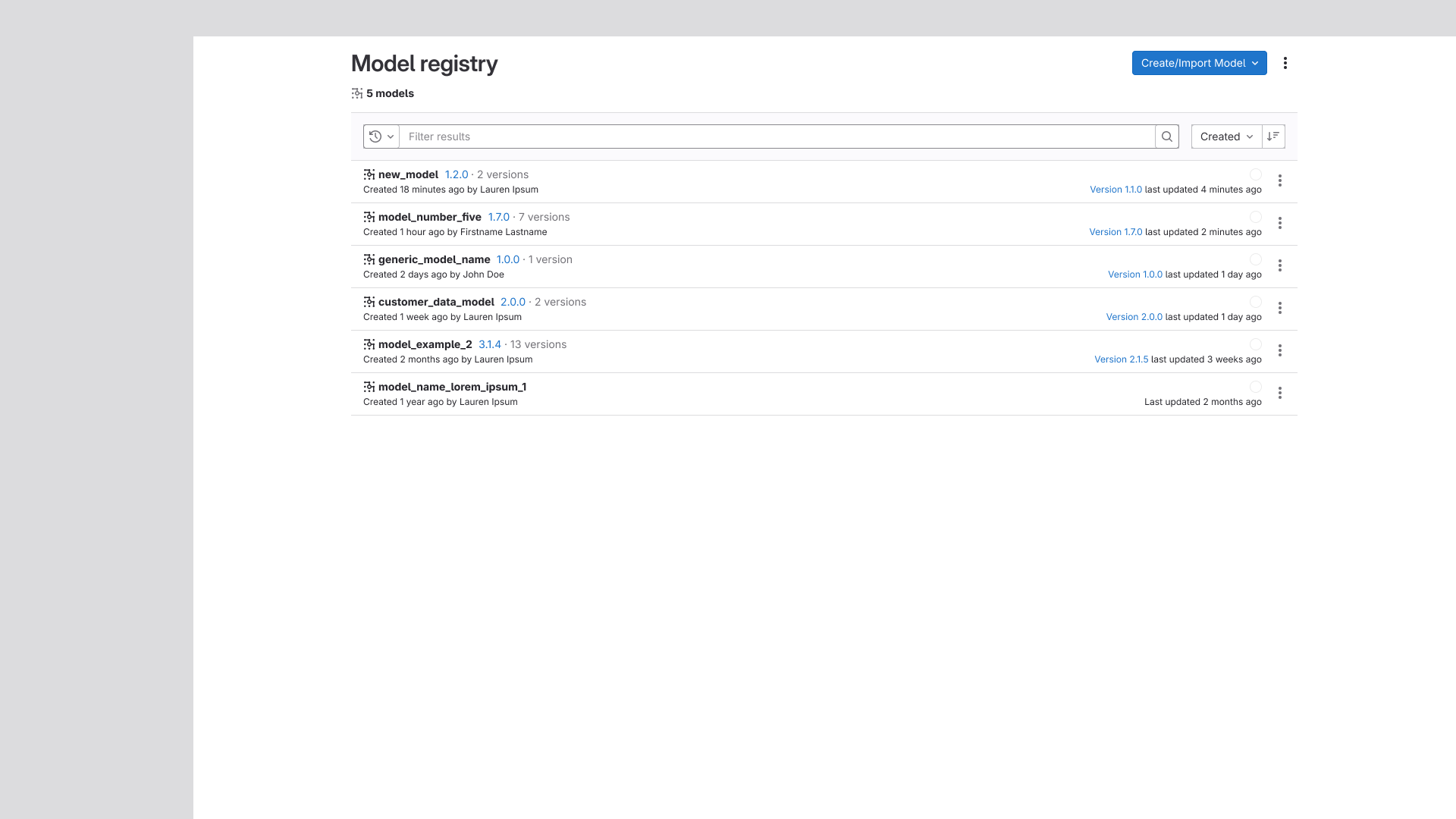
The Model Registry's model listing and a candidate card in Model Experiments.
Needfinding and Initial Explorations
In my initial low-fidelity explorations for this project, I mirrored models and versions to the
existing core workflows on GitLab, which used Epics, Issues, and Tasks as work items. These
relationships seemed to be similar - Models contained Versions of that model, but the versions were
where the experimentation and 'work' happened. As such, I molded existing epic, issue, and task
pages to accomodate this new need for models and versions.
Model
A model was the parent 'shell' that all of its versions were contained in. Models had a
specific goal that each new version would aim to describe with more and more precision.
Version
Each version was unique from its siblings because of training and fine-tuning, though all
versions still sought to achieve the goals laid out by their parent model.
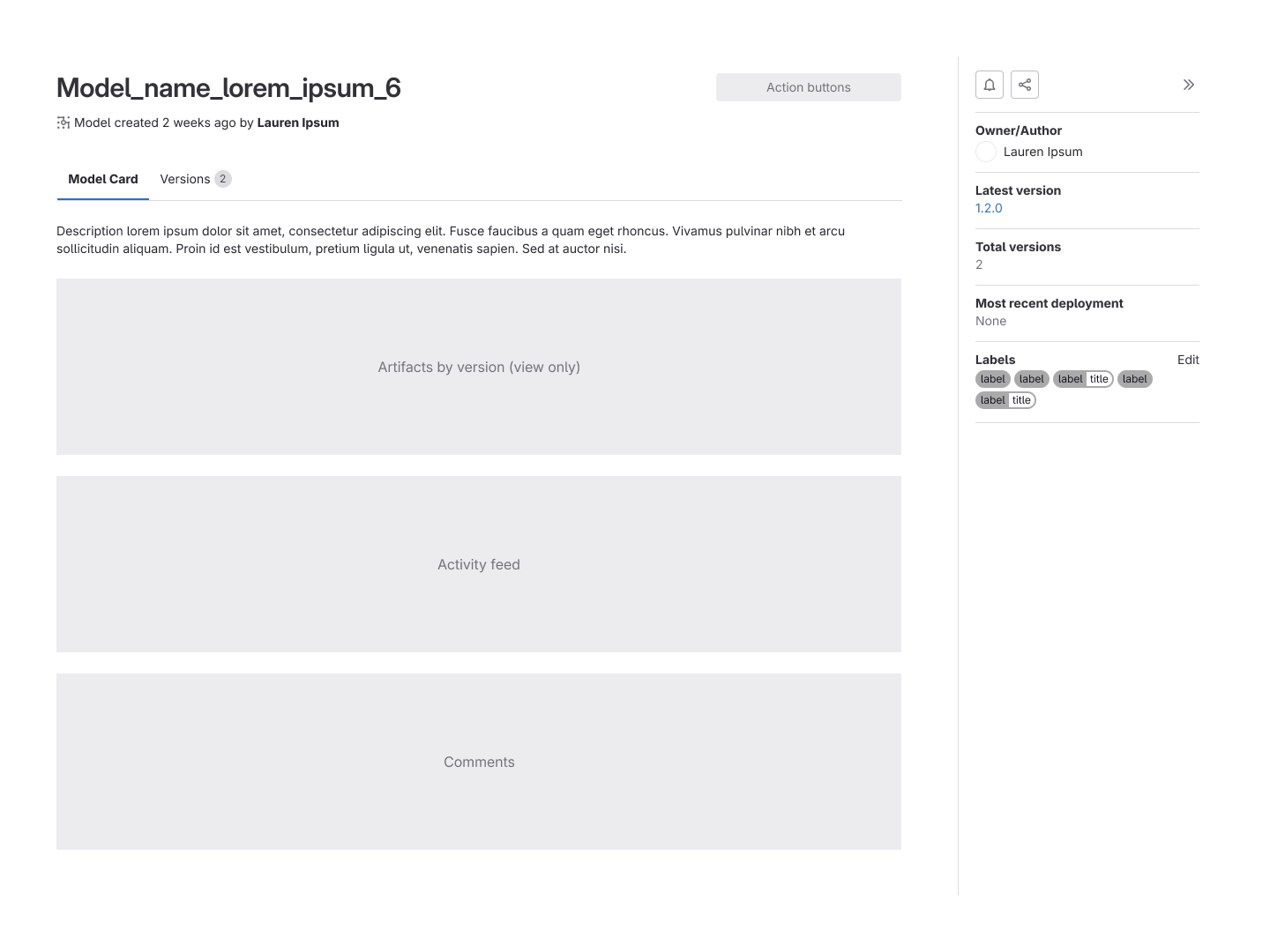
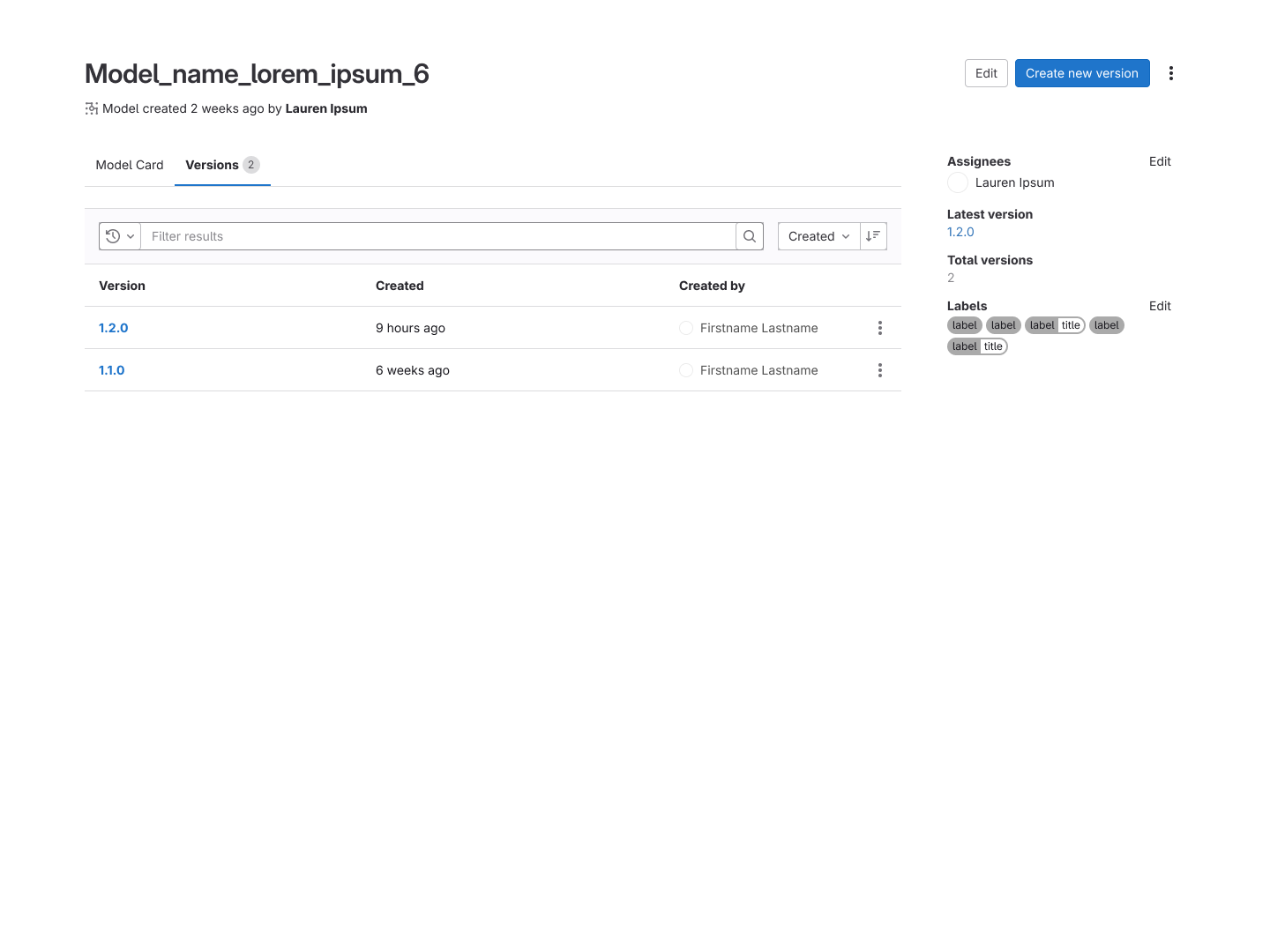
Concepts of the model card and version listing tabs within a selected model.
Internal & External Research
Through my conversations with our internal Data Science team and outside data science professionals,
my assumed parallel between Epics = Models > Issues = Versions was validated, but with one major
change.
Models and Versions were often treated as 'officiated' records of a working model. This meant that
they stored key information for reproducing results, unique to that specific version. However, this
also meant they were also typically treated as immutable and unchanging.
My previous assumption that Versions were where tweaks, tests, and
training happened was wrong.
Essentially, the Model Registry needed to act as an archive and record of
production models. We still needed a staging environment where users could tweak
configurations and test different things before promoting that candidate to the registry as a
production-level version.
The new platform would include:
Model Registry: The Production environment
A listing of models & their versions,
as well as all of the metadata, configurations, and artifacts that comprised each.
The registry would be the single source of truth for all working models that had been tested
and promoted, and users could comment and collaborate similar to an Epic.
Model Experiments: The Staging environment
A listing of all the in-progress model/version configurations, where users could track a
model's performance on test data, conduct runs on production data, tweak variables, etc.
Because GitLab was an open-source product, this was an environment where we could implement
key integrations - particularly MLFlow - to enhance the user experience.
Each page of an experiment card within Model Experiments.
The Road to GA Release
Getting to GA required multiple rounds of iteration across both the Model Registry and Model
Experiments, driven by feedback from external customers and our own internal data science team.
These conversations surfaced several meaningful shifts in product strategy that shaped the final
release.
Model Registry
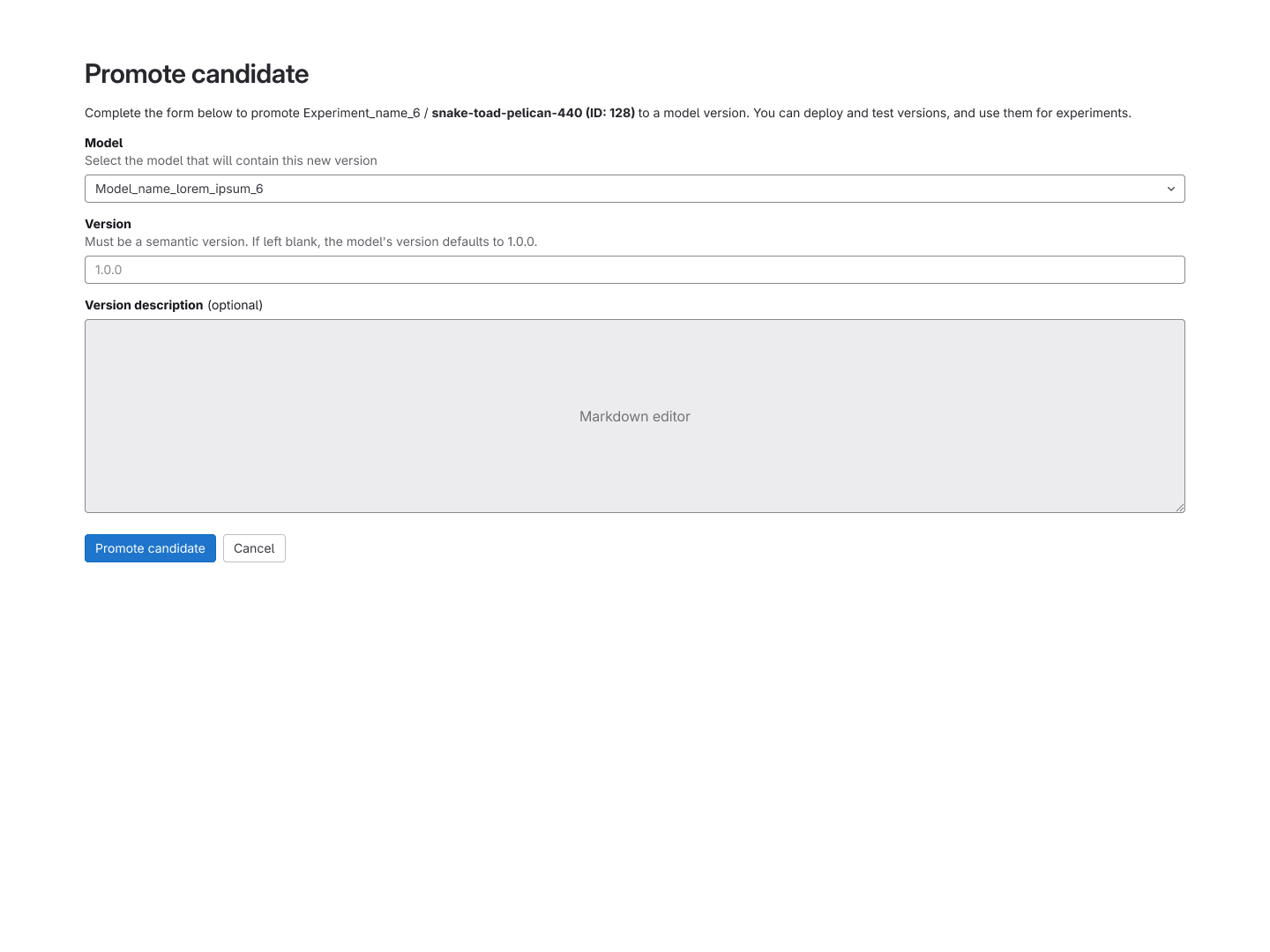
Once a model candidate was trained and validated in Model Experiments, users needed a clear path
to promote it into the Registry as an official production version. I redesigned the promotion and
creation flows to enable this end-to-end handoff, mirroring familiar patterns from elsewhere in
GitLab to keep the experience intuitive.
Artifacts were also relocated from the model card to individual version cards, a change driven by
the reality that each version could share artifact filenames but contain meaningfully different
files. Keeping them at the version level eliminated ambiguity and gave users a cleaner source of
truth.
The metadata sidebar was refined to surface context-specific information depending on whether a
user was viewing a model or a version. For versions, this included a one-click export that let
users replicate a working configuration directly into their testing environment, a small change
that had a significant impact on workflow speed.
An interactive prototype of the Model Registry's GA Release.
Model Experiments
Based on interview feedback and the realities of project scope, Model Experiments was repositioned
as a structured record of experimental runs conducted in external tools like MLFlow and SageMaker.
Rather than trying to replicate those environments, we integrated MLFlow as an import/export
feature, allowing users to tie their runs directly into GitLab for tracking and visibility. This
became the foundation of the new Model Experiments experience.
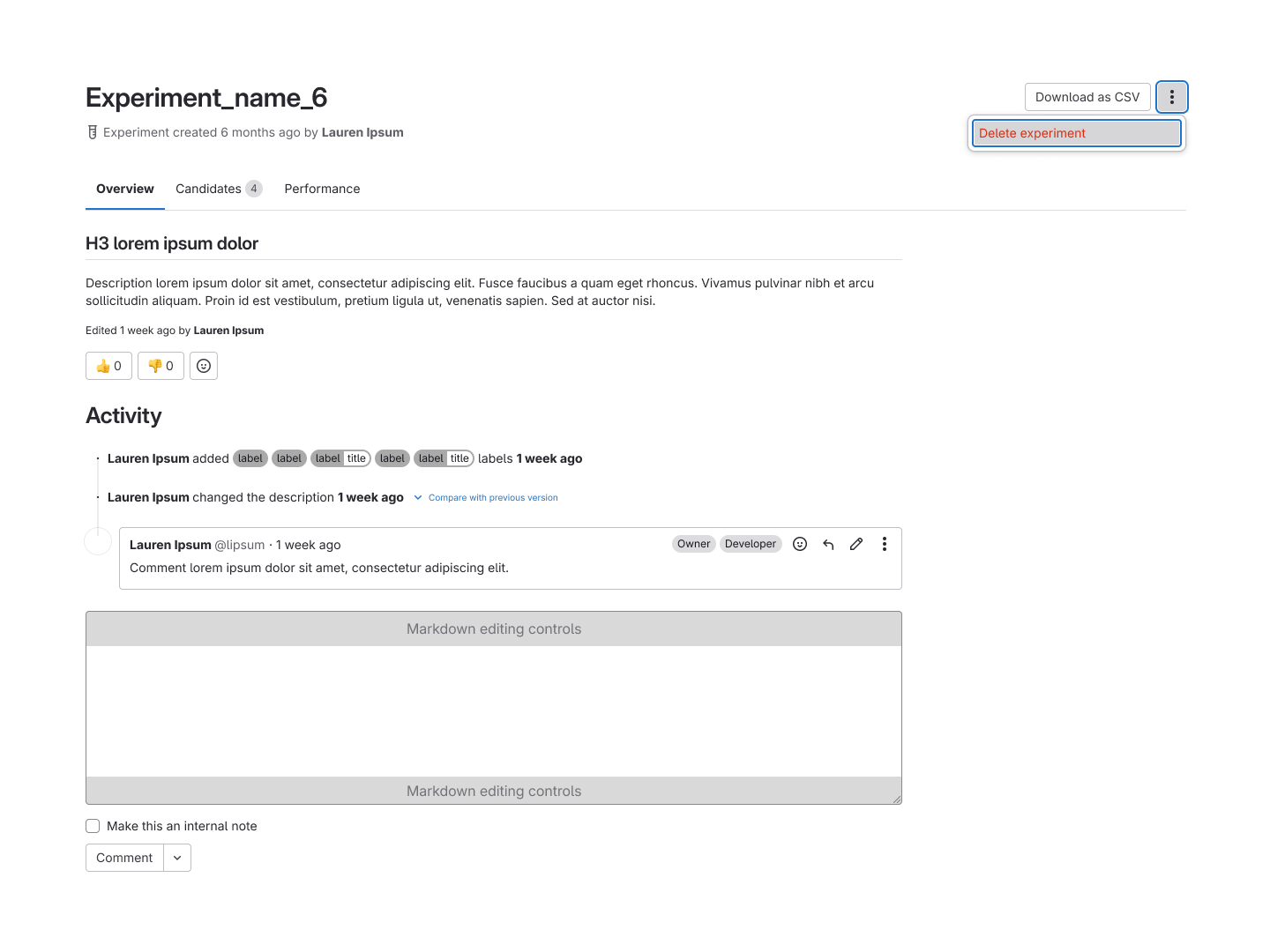
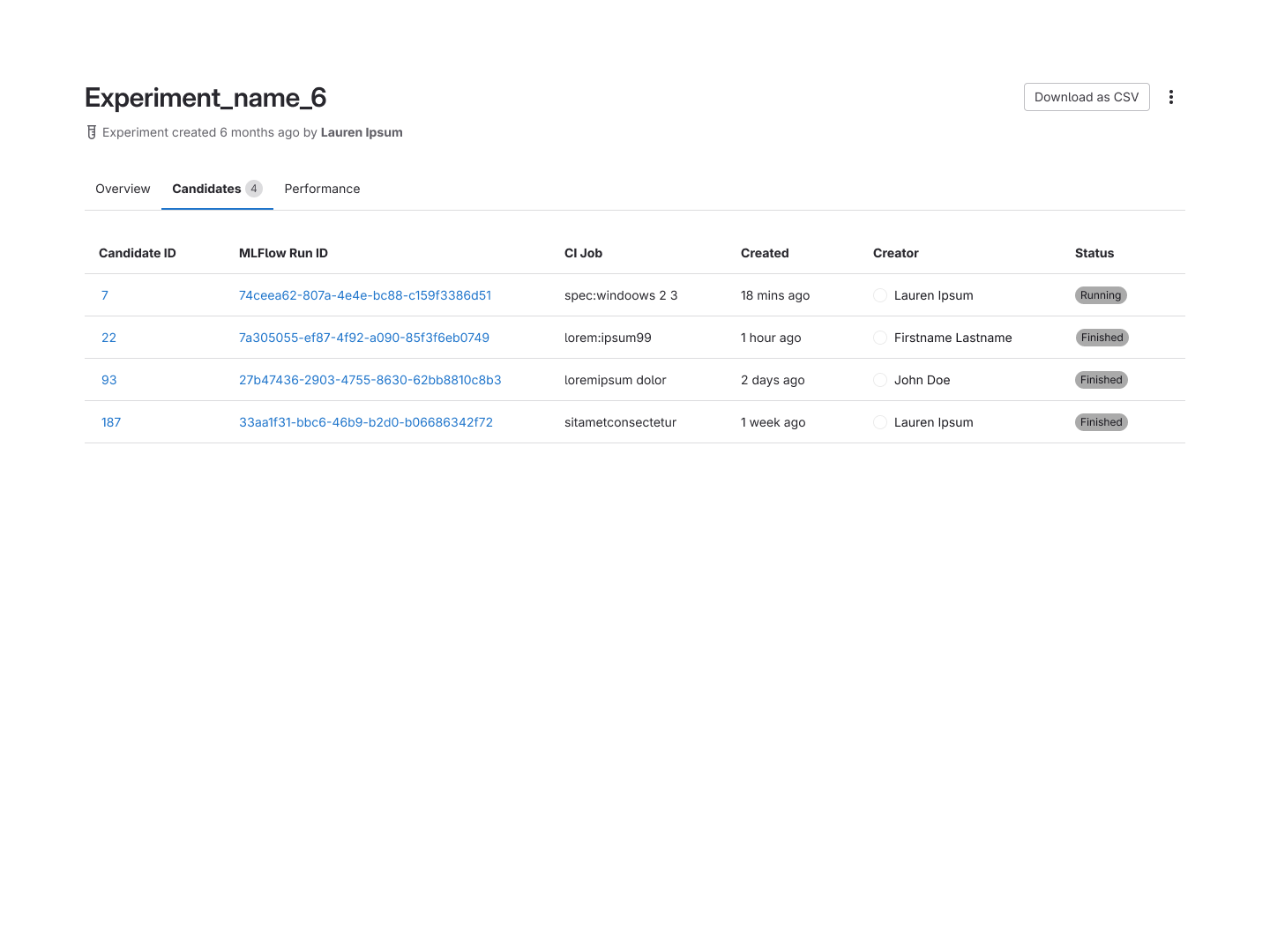
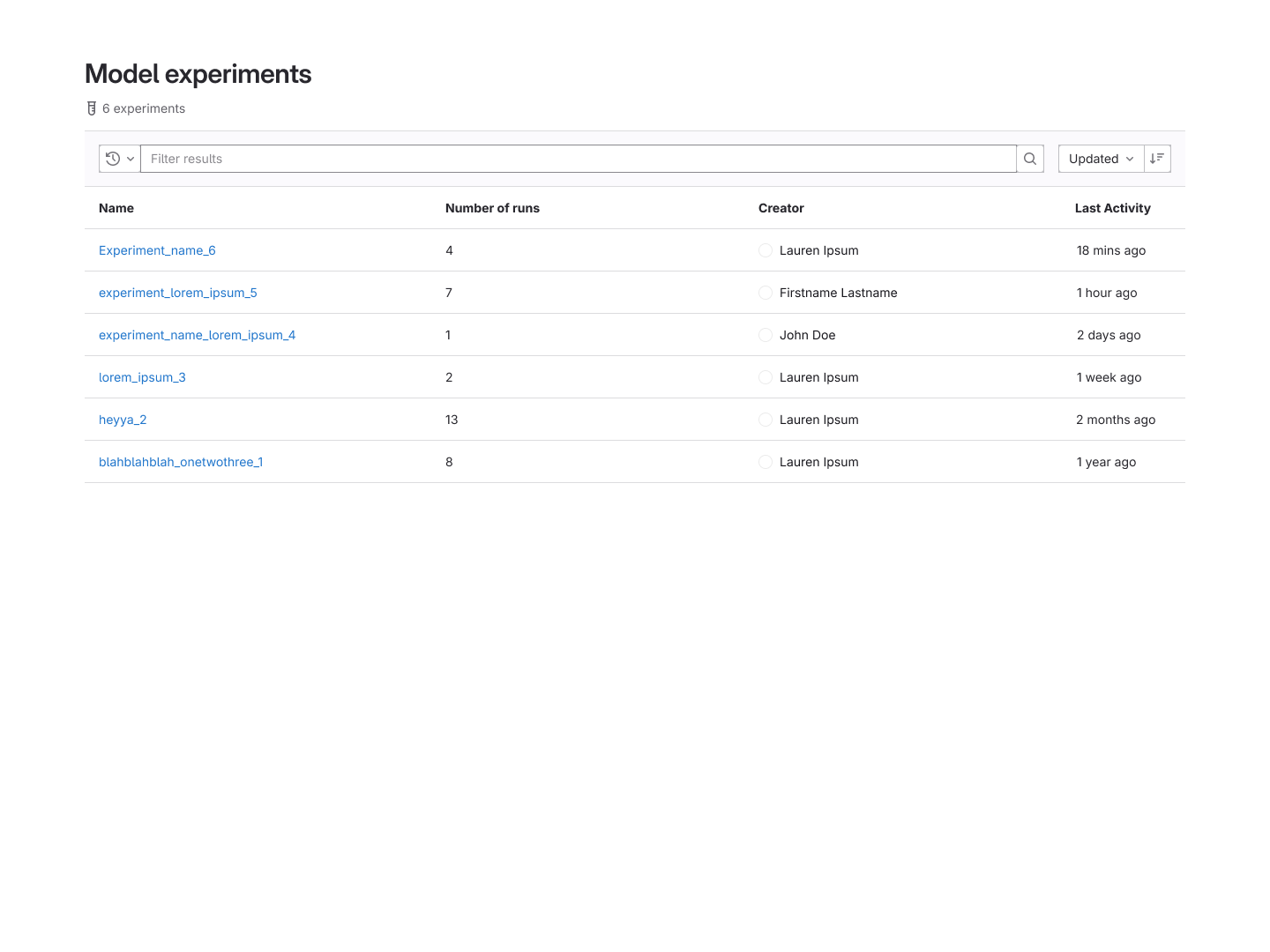
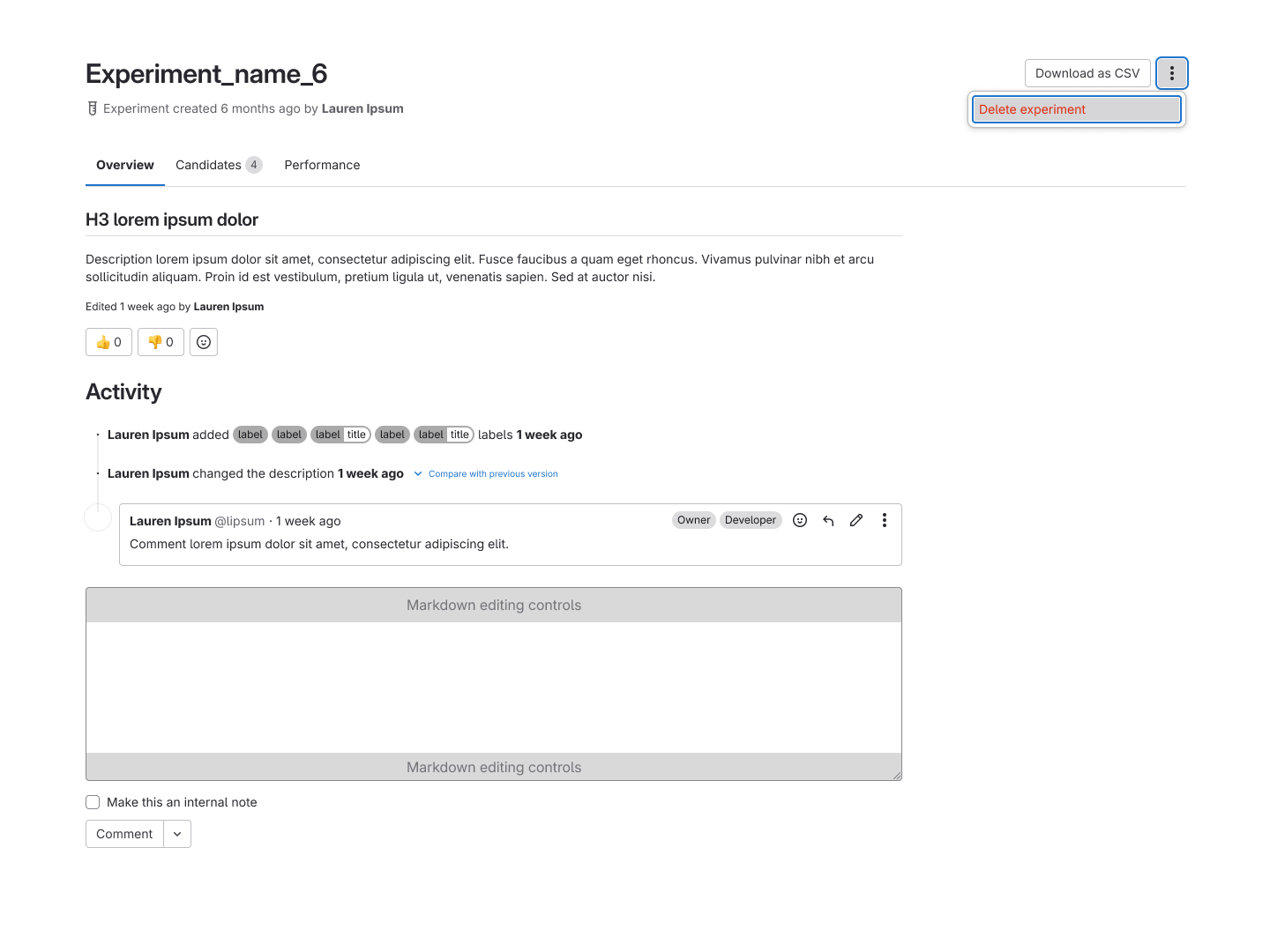
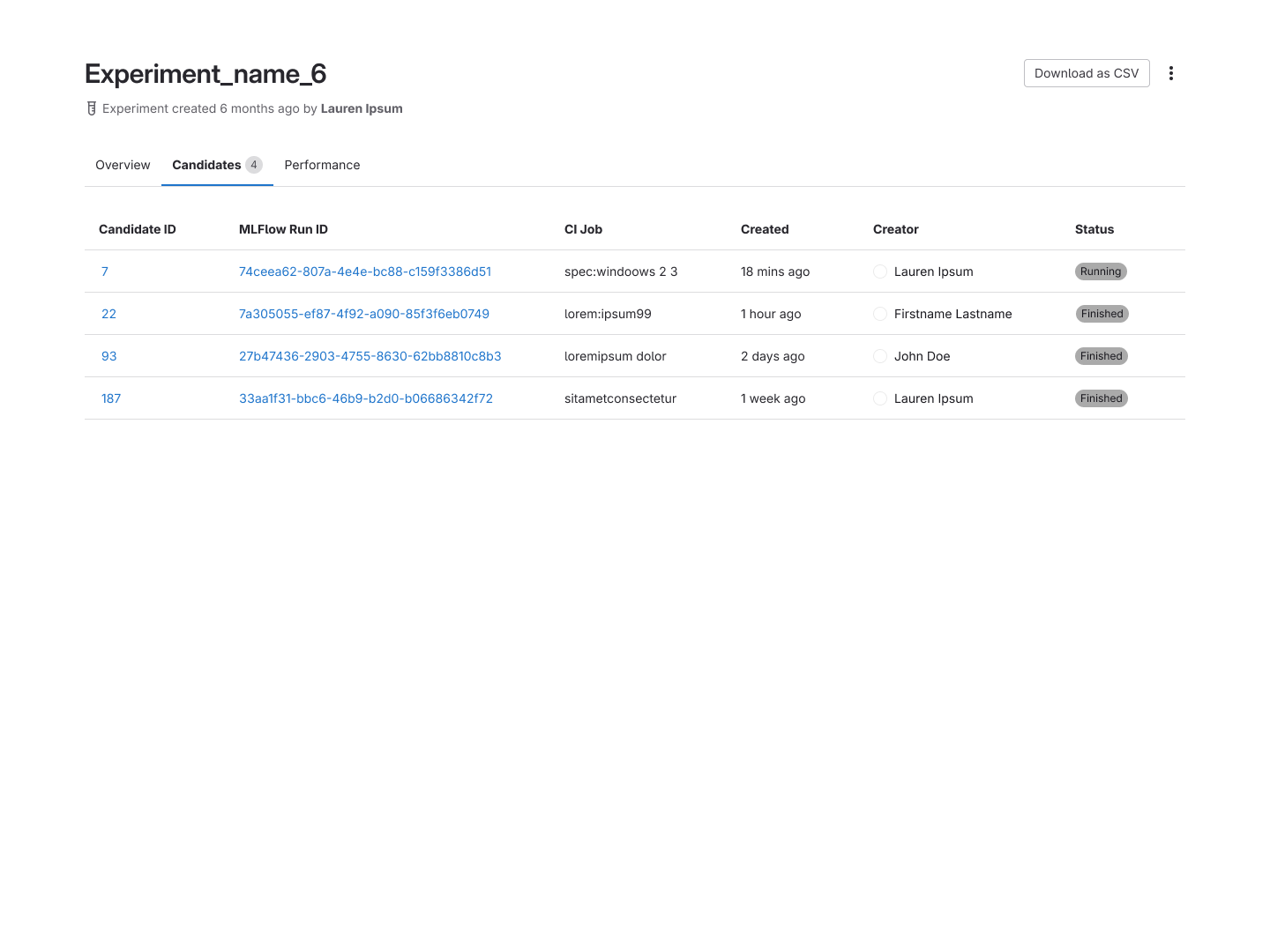
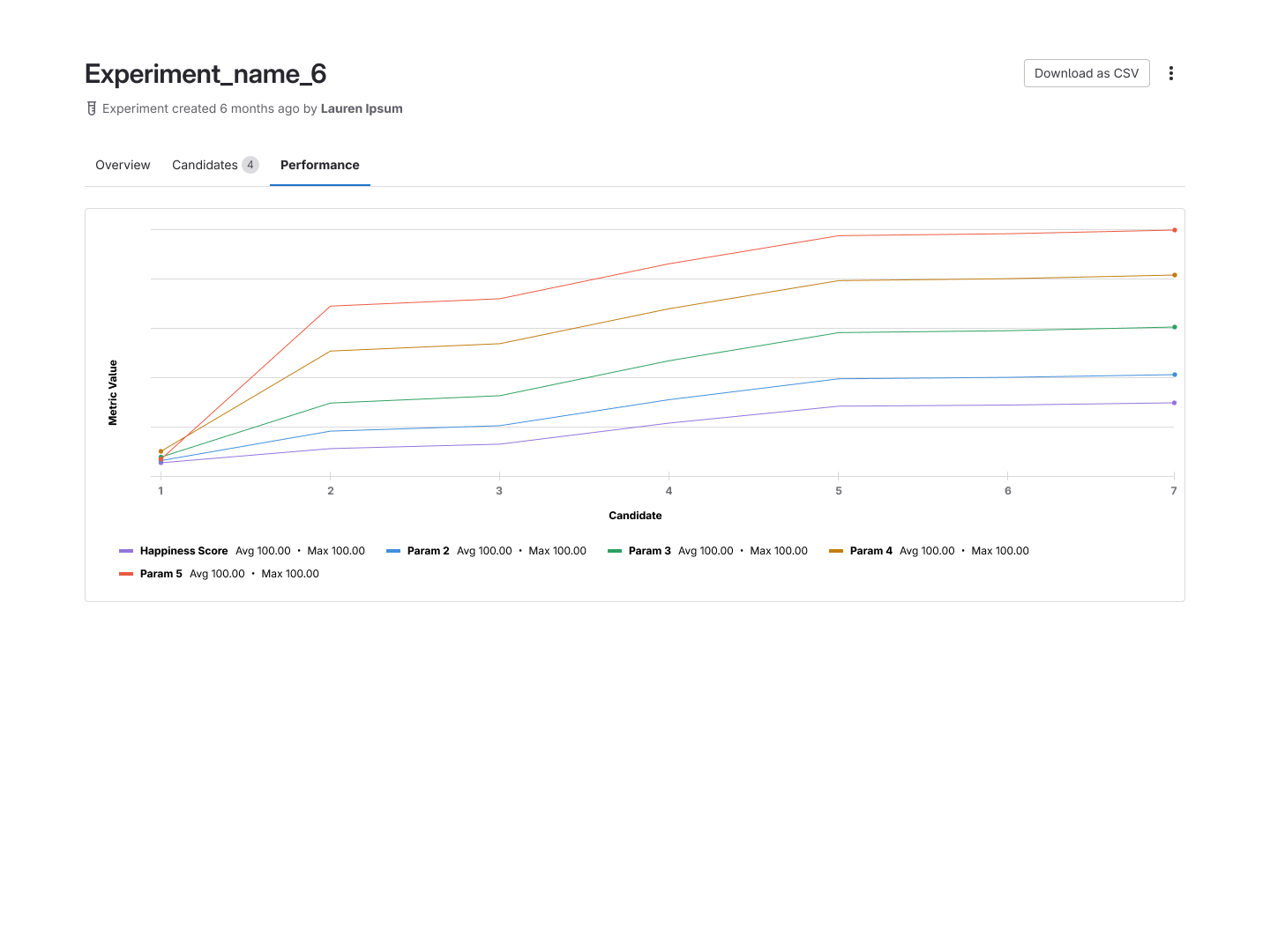
The Model Experiments listing and experiment detail pages.
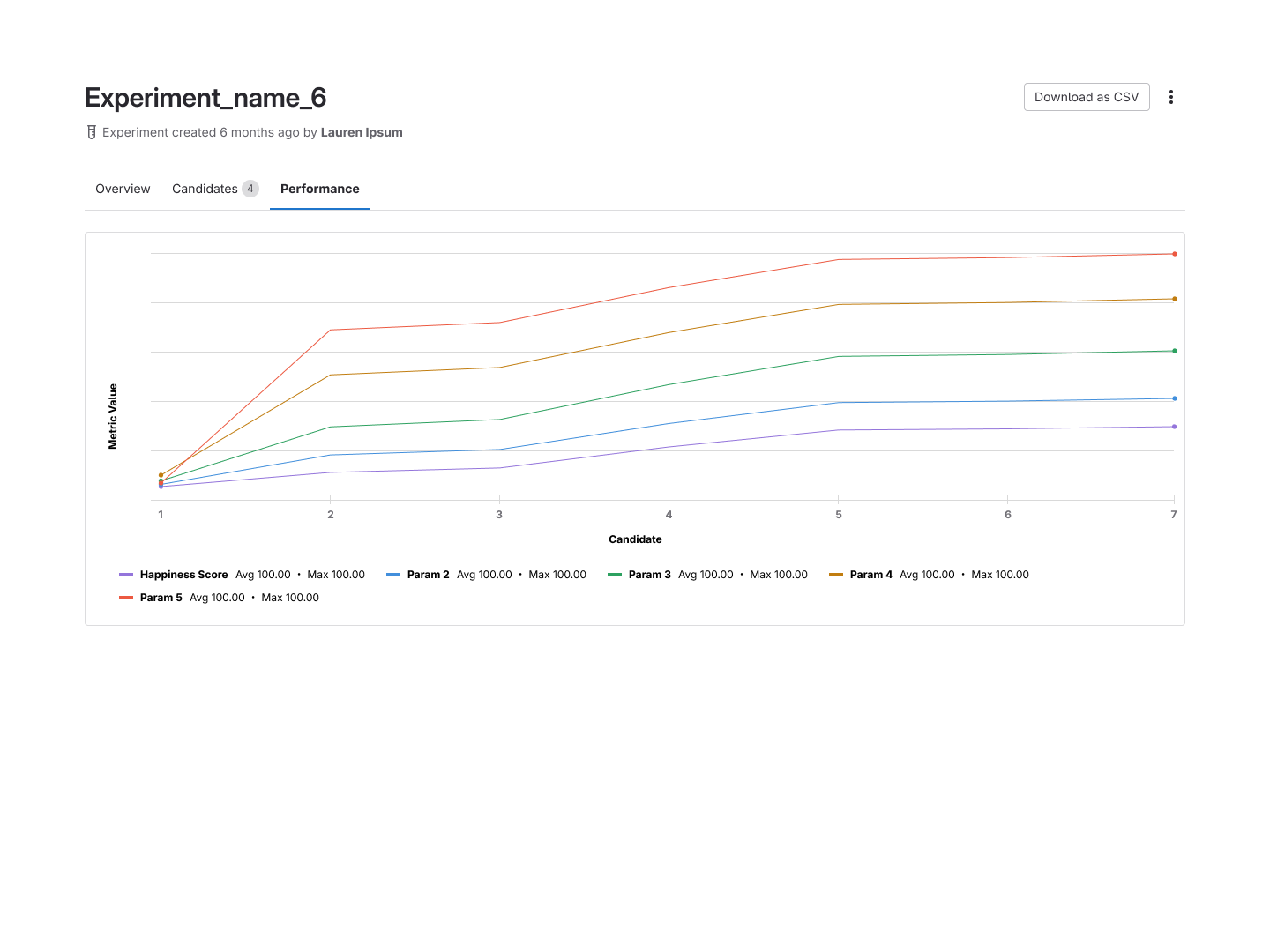
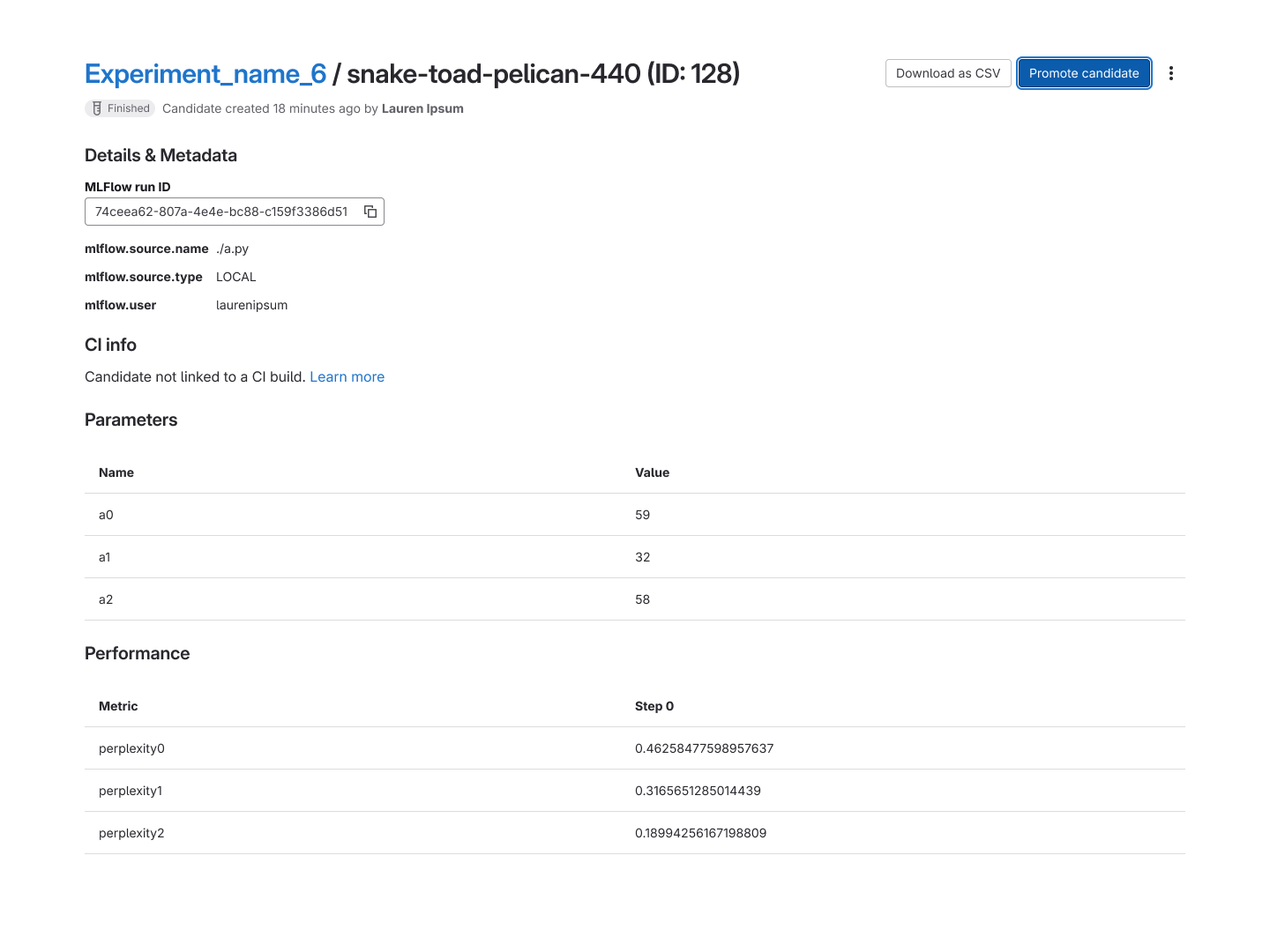
We also added a performance tab built on GitLab's Product Analytics, a separate product I
designed, that surfaced configurable graphs of each candidate's performance within an experiment.
These visualizations were powered by a GraphQL integration, giving users a flexible, queryable
view of their model metrics without leaving the platform.
A candidate's detail view and the promotion flow that hands off a validated run to the Model
Registry.
Post-GA Improvements
Following a successful GA launch, I developed a prioritization plan for product improvements drawn
from de-scoped GA items and ongoing user feedback, continuing to close the gap between what users
needed and what the platform provided.
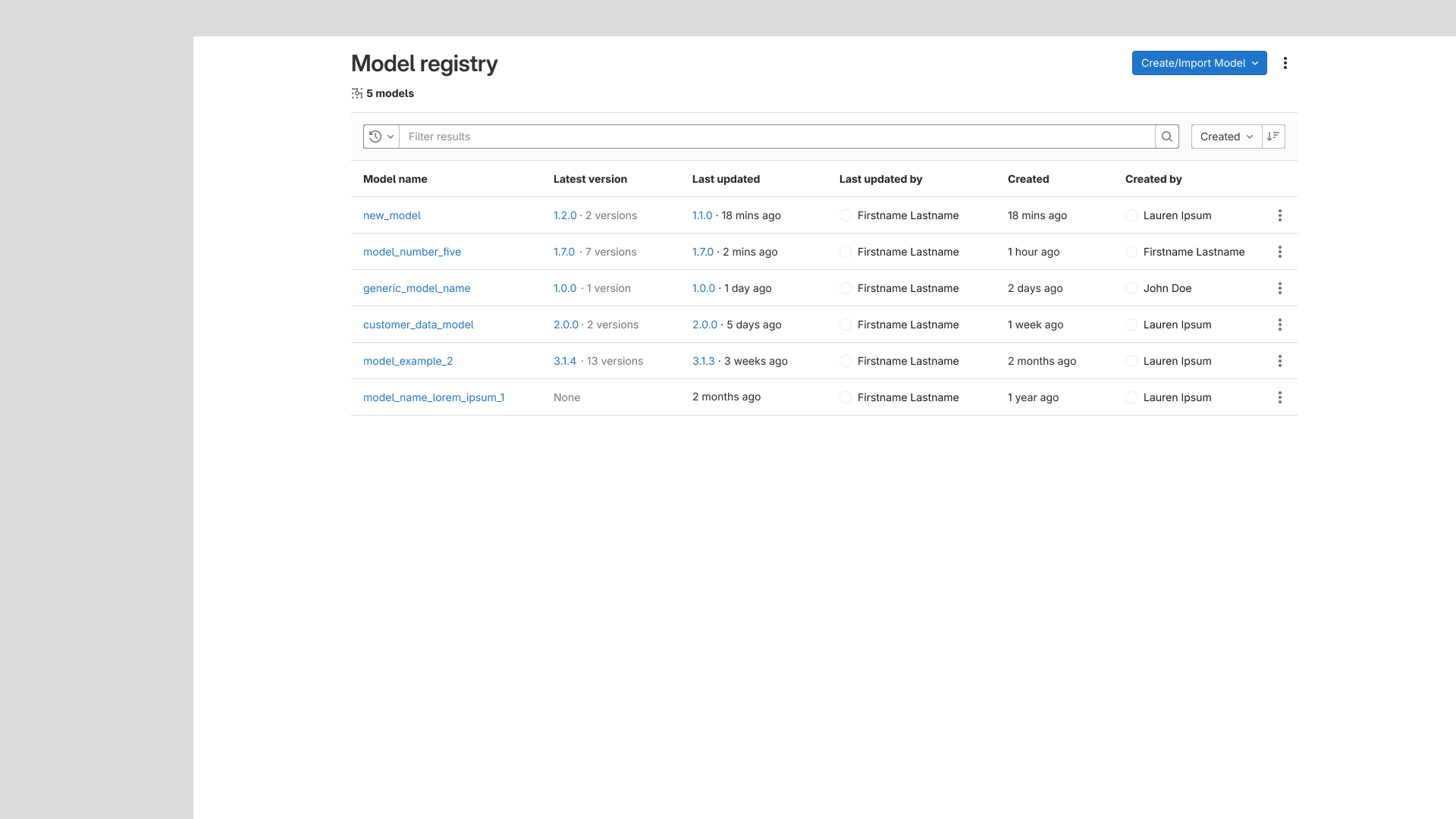
Model/Version Table Improvements
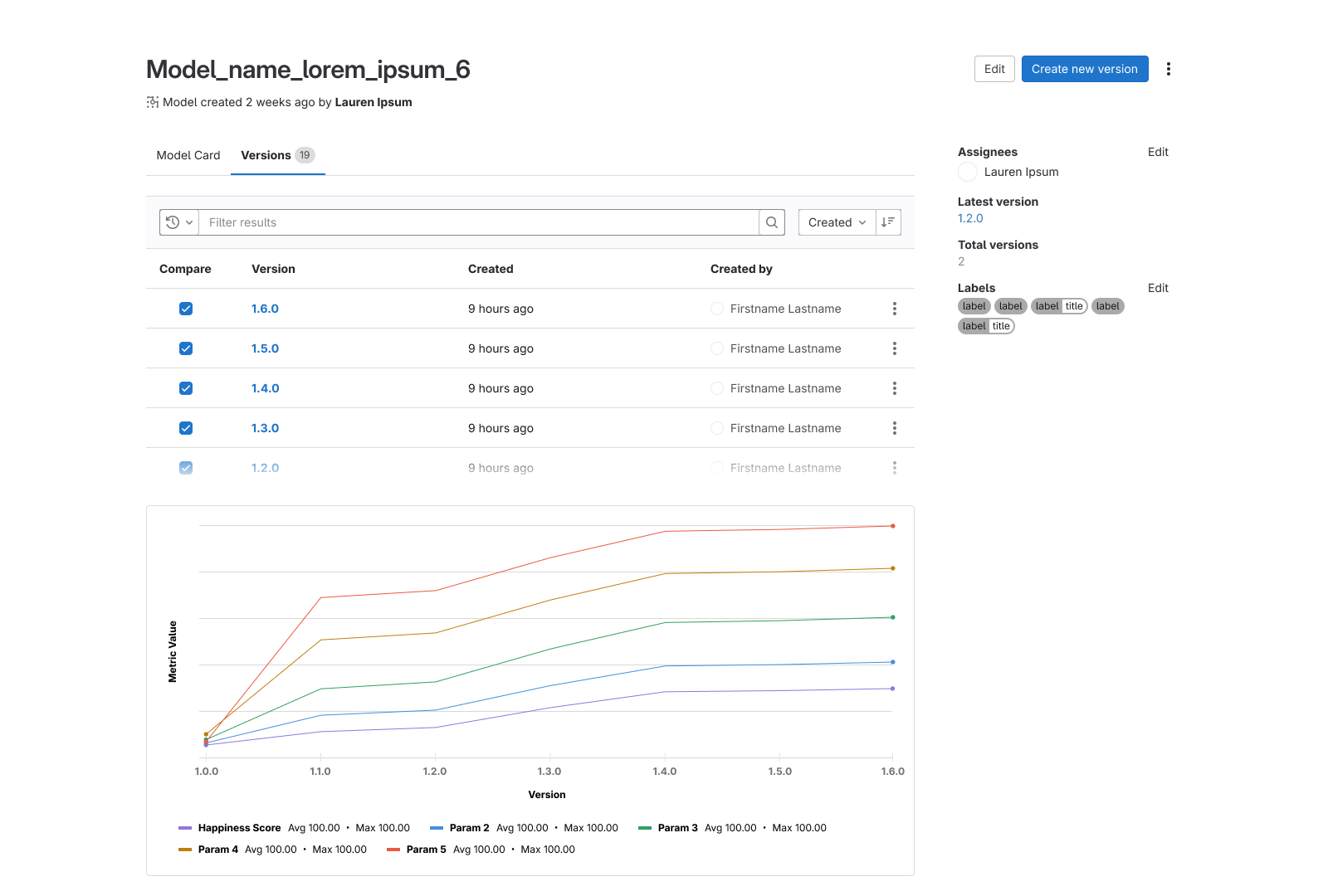
Additional columns were added to both the model and version listing tables, giving users more
at-a-glance context without requiring them to drill into individual records. We also explored
layouts mirroring GitLab's Epic and Issue listing pages, but ultimately rejected these concepts —
they felt less organized and harder to parse in the context of model management.
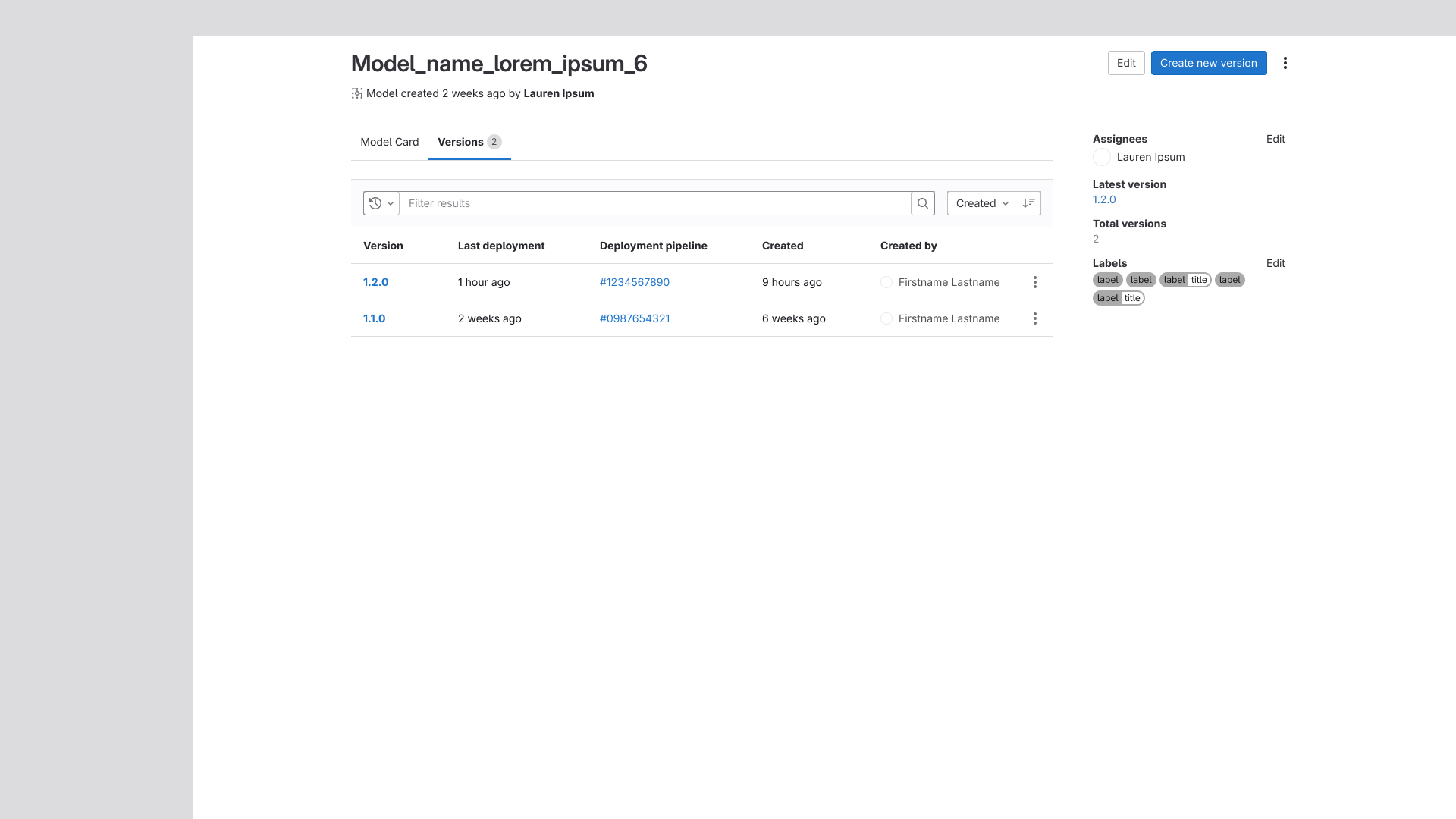
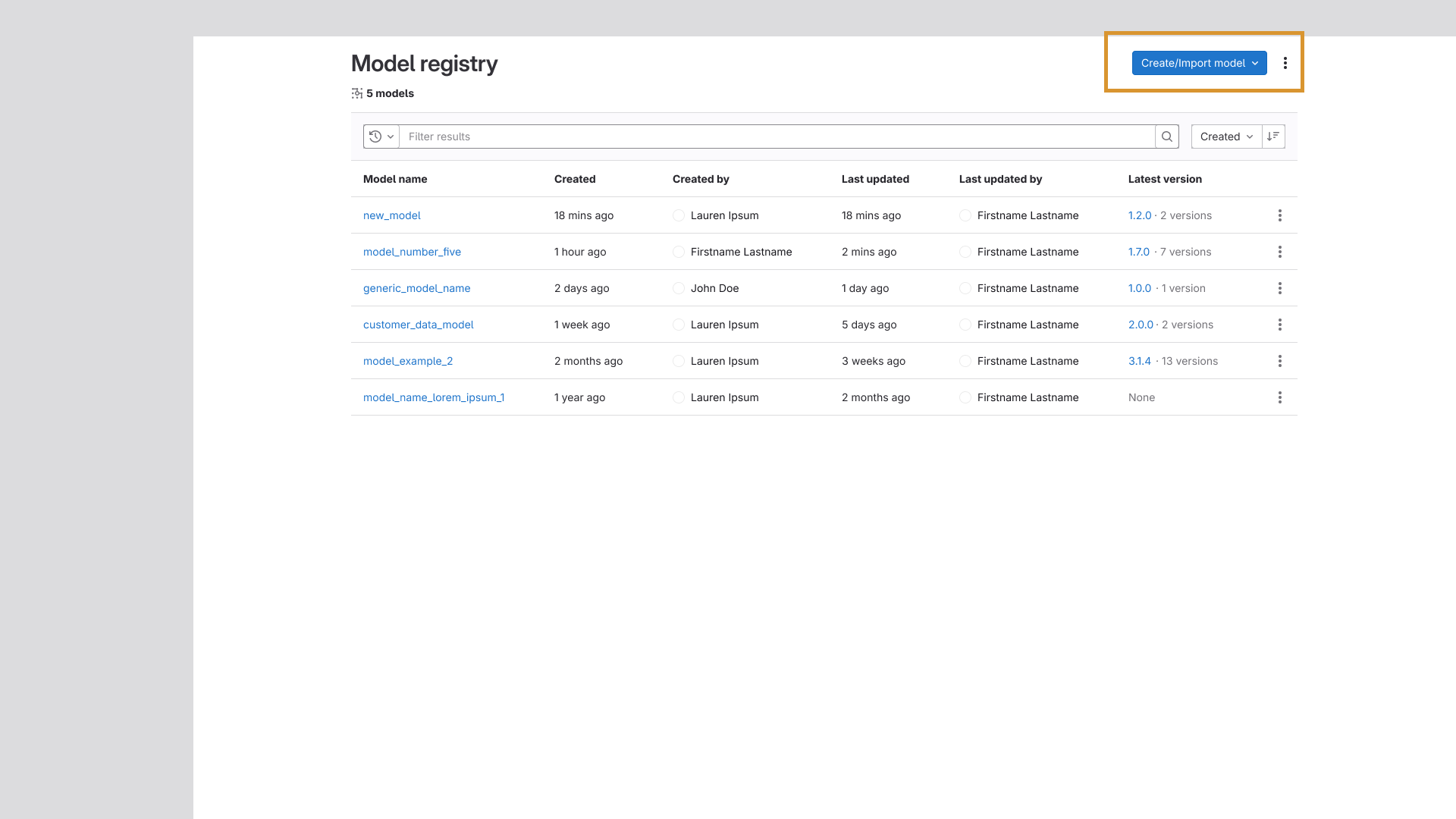
The new model listing and an exploration of a similar design to the issue list, as well as
the new
version listing.
Title/Button Clarity
A targeted fix that added clearer context to action buttons and page titles across the model and
version pages. The change was driven by confusion surfaced during solution validation testing,
where users struggled to orient themselves within the current flow. More descriptive labeling
resolved the issue and helped anchor users throughout the experience.
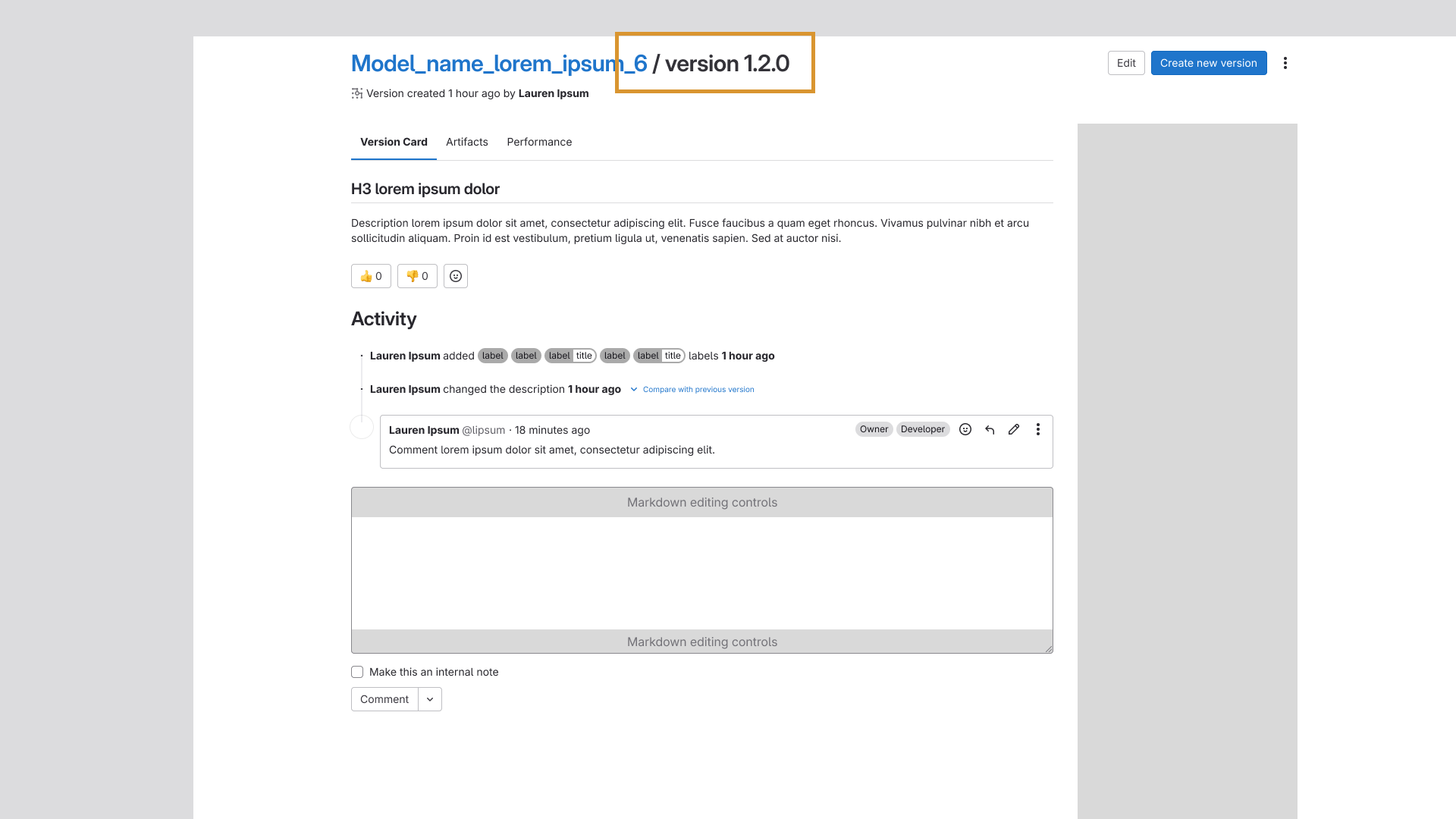
Improvements to the primary action buttons in both models and versions, as well as the title in
versions.
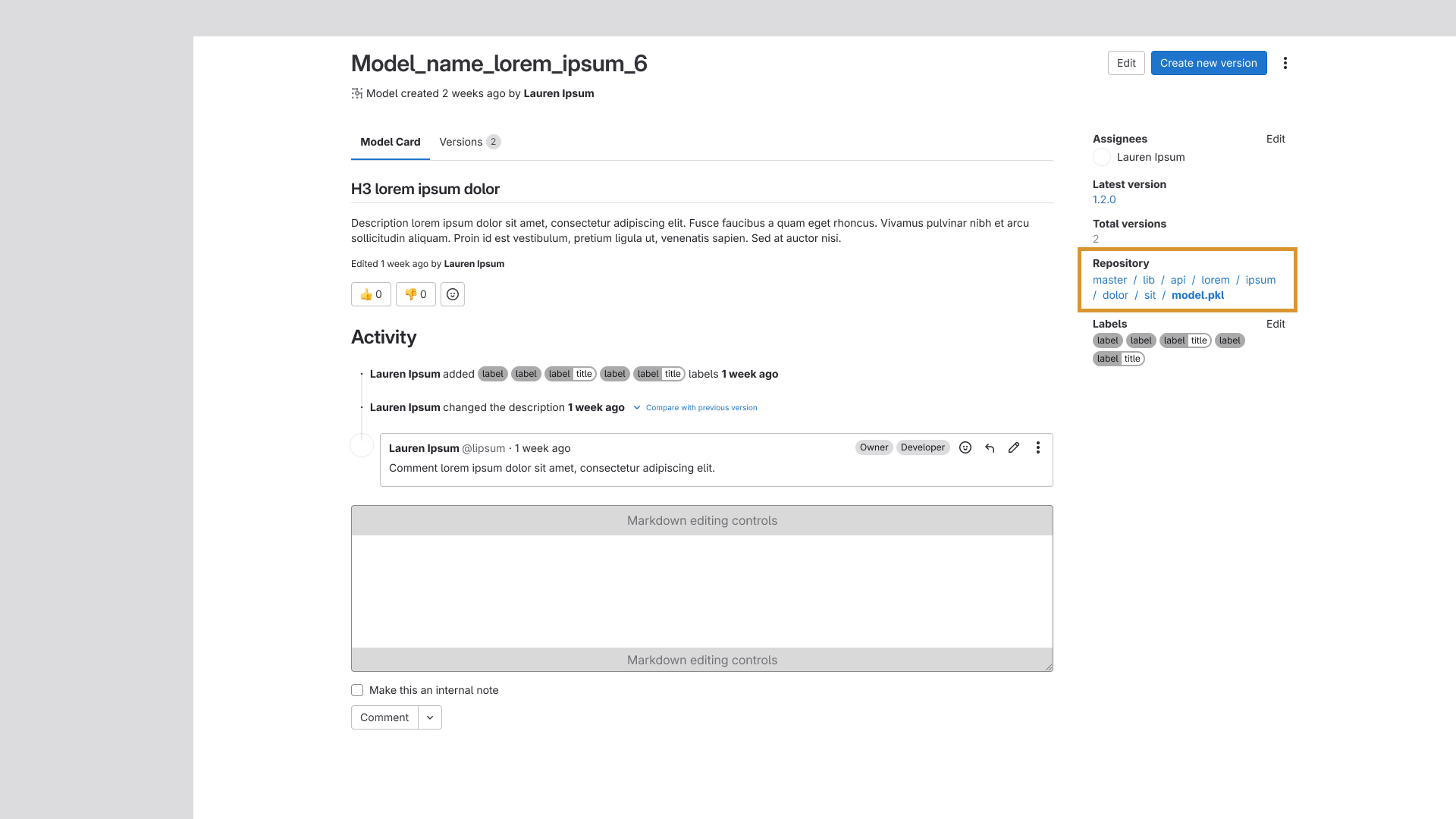
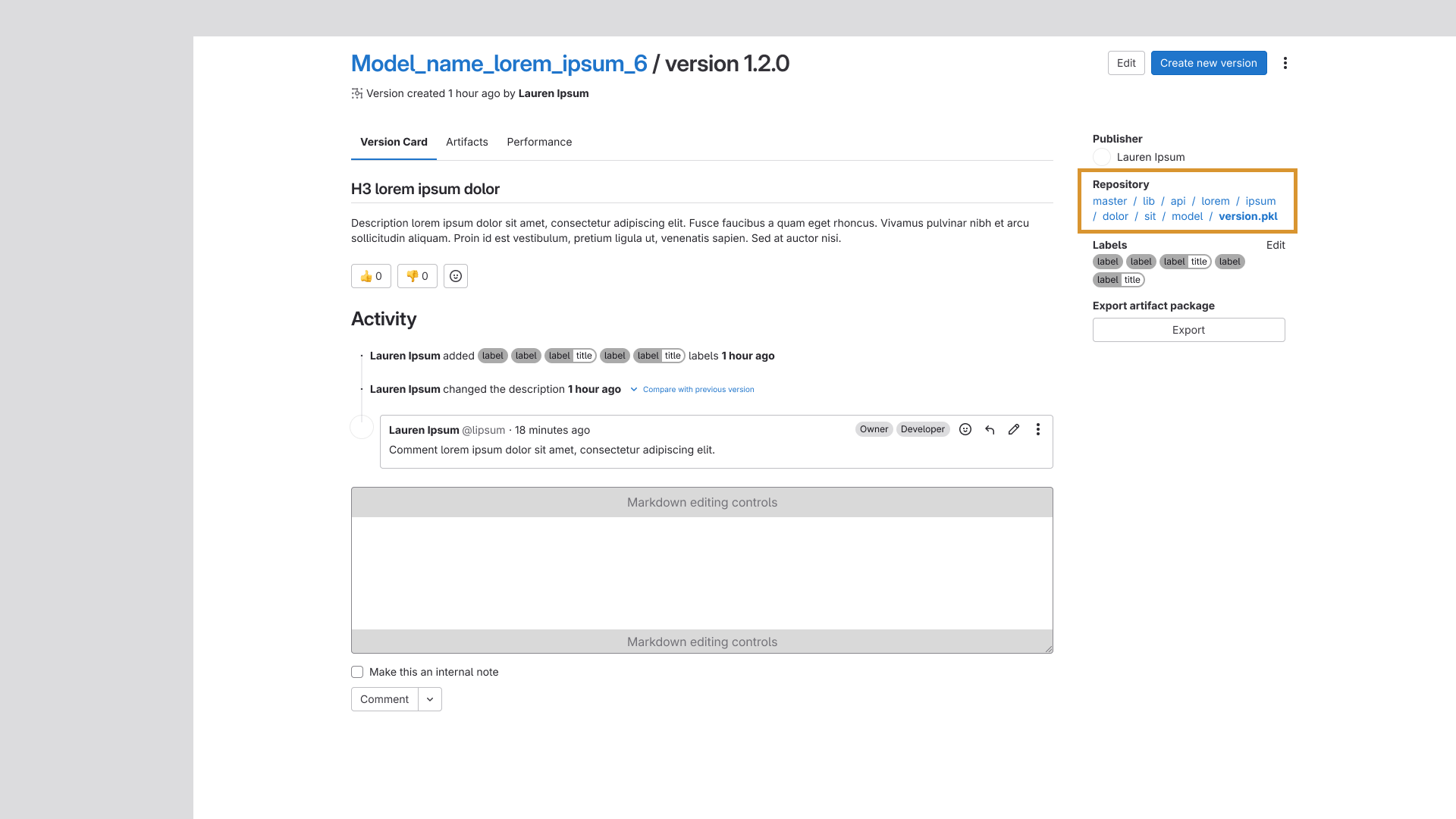
Repo Link Addition
The repository link was added to the metadata sidebar, giving users a direct path to the repo
housing the model or version without having to navigate away and search for it manually.
Improvements to the primary action buttons in both models and versions, as well as the title in
versions.
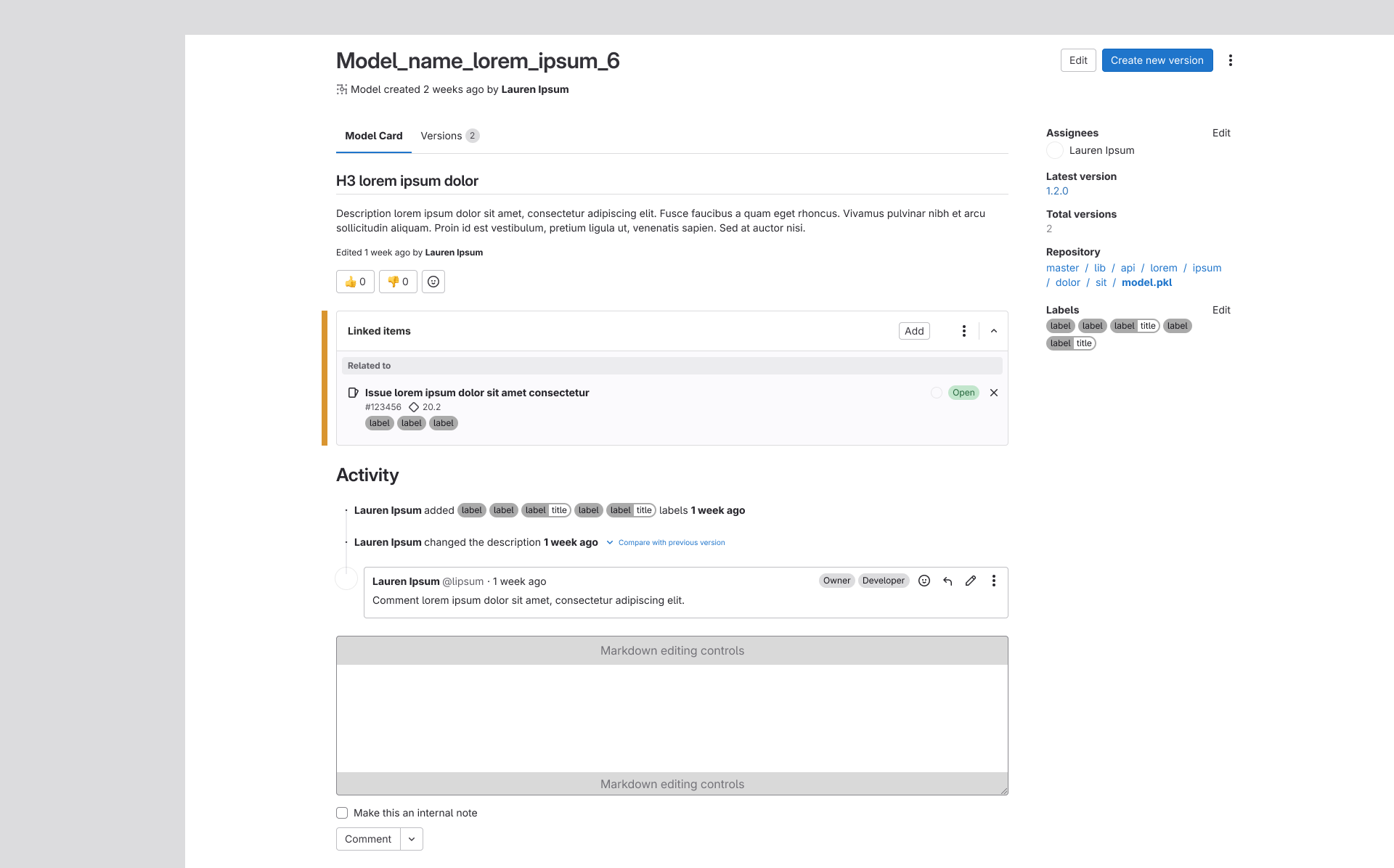
Linked Items Module Addition
This module created a direct bridge between MLOps and GitLab's core product by allowing users to
attach work items as linked items to models and versions. Connecting these two surfaces removed a
meaningful barrier between the platforms and added significant utility, tying ML workflows into
the same collaborative infrastructure that engineering teams already relied on.
Linked items bridges the model registry to the core workflows of GitLab's DevOps platform.
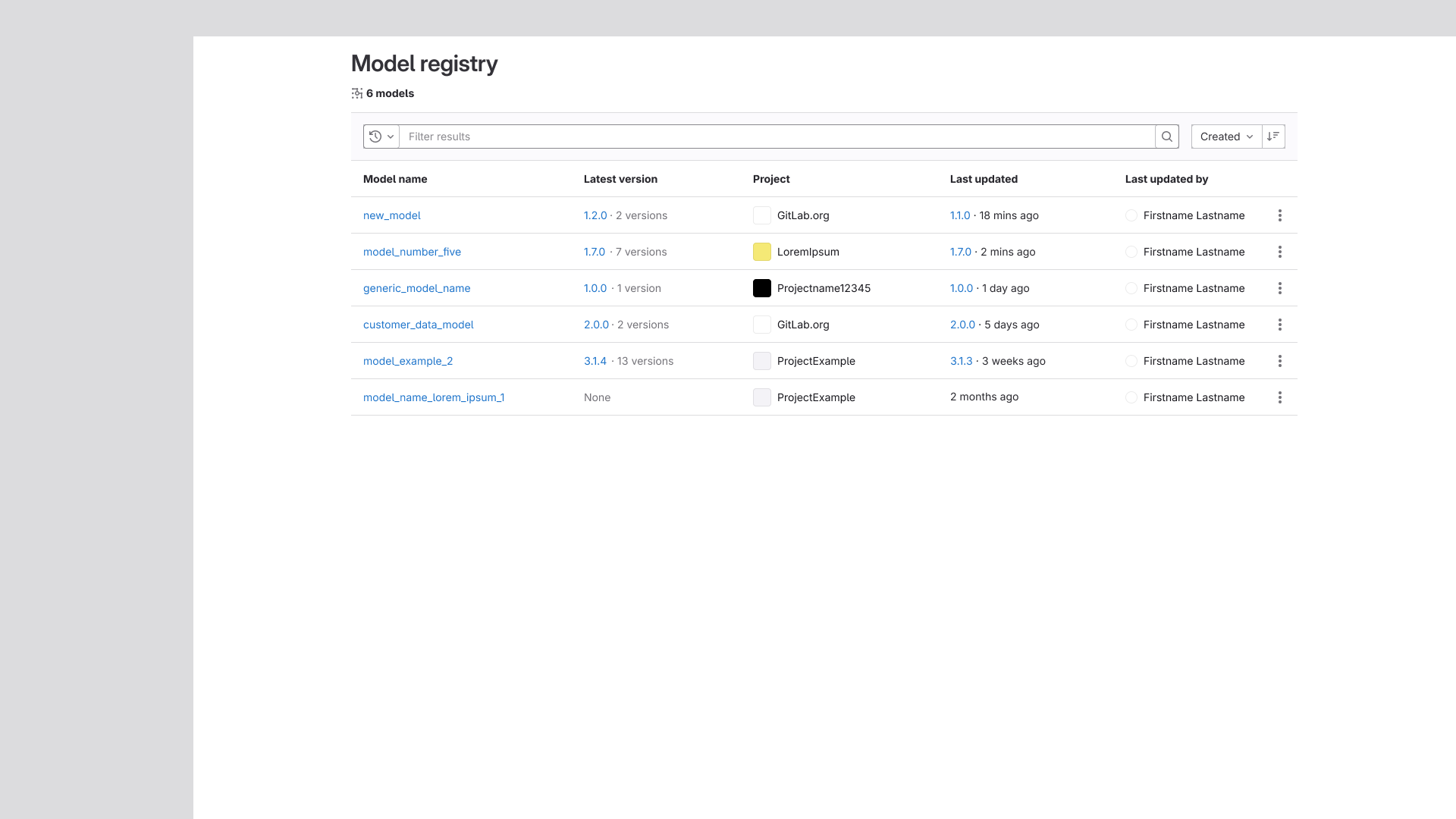
Group-Level Aggregate View
The final improvement in this effort was the addition of a Group-level model listing page. Prior
to this, the Model Registry existed exclusively at the Project level. This change introduced an
aggregate view of all models across projects within a group, a capability specifically requested
by internal leadership that meaningfully expanded the Registry's organizational reach.
The Group-level model listing page, tying each model to the project they're contained in.
Rotate your device to landscape for the best experience